
Text scroll fill
Large text that fills with color as the shopper scrolls.
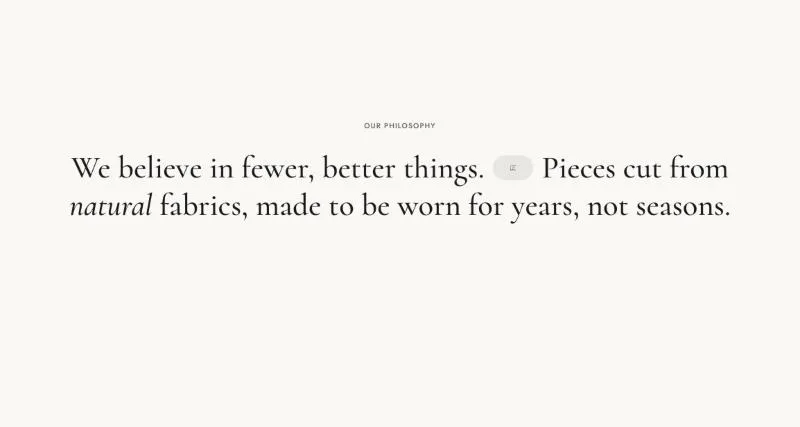
To add it, select Add section in the theme editor and choose Text scroll fill.
Section settings
Section titled “Section settings”| Setting | Details |
|---|---|
| Subheading | Default: “Our philosophy”. |
| Alignment | Options: Left, Center (default). |
| Content width | 600–1600px, default 1200px. |
| Setting | Details |
|---|---|
| Font | Options: Heading (default), Body. |
| Font size | 24–120px, default 56px. |
| Font size mobile | 18–64px, default 30px. |
| Text case | Options: Default (default), Uppercase. |
| Faded text opacity | Words start at this opacity and fill in while scrolling. 50% or more keeps the faded words readable (3:1 contrast). 50–80%, default 50%. |
Layout
Section titled “Layout”| Setting | Details |
|---|---|
| Section width | Options: Page (default), Full width. |
| Padding top | 0–200px, default 120px. |
| Padding bottom | 0–200px, default 120px. |
| Padding top mobile | 0–120px, default 64px. |
| Padding bottom mobile | 0–120px, default 64px. |
Background
Section titled “Background”| Setting | Details |
|---|---|
| Color scheme | |
| Background | Options: None (default), Image, Video. |
| Image | Also used as the video poster and fallback. Tablet spacing is the average of desktop and mobile. |
| Video | |
| Overlay opacity | Tints the image or video with the color scheme background, so the text stays readable. 0–90%, default 0%. |
Blocks
Section titled “Blocks”Paragraph
Section titled “Paragraph”Can contain: Paragraph, Text, Image.
This block has no settings.
| Setting | Details |
|---|---|
| Text | Default: “We believe in fewer, better things”. |
| Setting | Details |
|---|---|
| Image |
This section also uses these shared blocks: Buttons, Button.