
Countdown
A timer that counts down to a date, for example a product launch or the end of a sale.
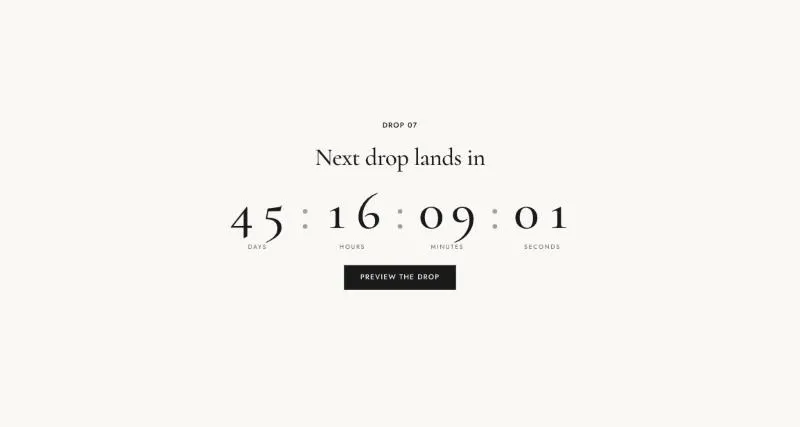
To add it, select Add section in the theme editor and choose Countdown.
Section settings
Section titled “Section settings”| Setting | Details |
|---|---|
| Layout | Options: Centered (default), Image beside content, Row (text, timer, buttons). |
| Alignment | Options: Left, Center (default). |
| Image | |
| Media position | Options: Left (default), Right. |
Layout
Section titled “Layout”| Setting | Details |
|---|---|
| Section width | Options: Page (default), Full width. |
| Padding top | 0–200px, default 120px. |
| Padding bottom | 0–200px, default 120px. |
| Padding top mobile | 0–120px, default 64px. |
| Padding bottom mobile | 0–120px, default 64px. |
Background
Section titled “Background”| Setting | Details |
|---|---|
| Color scheme | |
| Background | Options: None (default), Image, Video. |
| Image | Also used as the video poster and fallback. Tablet spacing is the average of desktop and mobile. |
| Video | |
| Overlay opacity | Tints the image or video with the color scheme background, so the text stays readable. 0–90%, default 0%. |
Blocks
Section titled “Blocks”Countdown
Section titled “Countdown”Can contain: Countdown.
| Setting | Details |
|---|---|
| End date | Format YYYY-MM-DD, in your store time zone. Default: “2026-12-31”. |
| End time | 24-hour format HH:MM. Default: “18:00”. |
| Size | Options: Medium, Large (default). |
| When the countdown ends | Options: Show a message (default), Hide the section. |
| Message | Default: “The drop is live”. |
This section also uses these shared blocks: Subheading, Heading, Text, Buttons, Button.