
Image with text
An image or video beside a heading, text and buttons, with optional icon items.
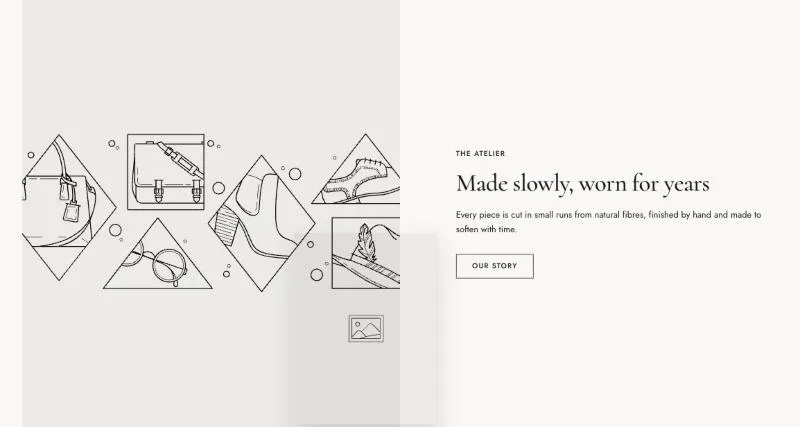
To add it, select Add section in the theme editor and choose Image with text.
Section settings
Section titled “Section settings”| Setting | Details |
|---|---|
| Media | Options: Image (default), Video. |
| Image | |
| Mobile image | Used on screens under 750px. Leave empty to use the desktop media. |
| Video source | Options: Shopify-hosted (default), YouTube or Vimeo. |
| Video | |
| Mobile video | Used on screens under 750px. Leave empty to use the desktop media. |
| Video URL | YouTube or Vimeo link. |
| Poster image | Shown while the video loads, and when visitors prefer reduced motion. Defaults to the video preview image. |
| Play button position | Without a play button, visitors can’t pause the video. Keep one when the video plays longer than 5 seconds (accessibility). Options: None, Top left, Top right, Bottom left, Bottom right (default). |
Second image
Section titled “Second image”| Setting | Details |
|---|---|
| Show second image | Default: on. |
| Image | |
| Position | Options: Top, Bottom (default). |
| Size | Options: Small, Large (default). |
Layout
Section titled “Layout”| Setting | Details |
|---|---|
| Media position | Options: Left (default), Right. |
| Media width | Options: Small (40%), Medium (50%) (default), Large (60%). |
| Media ratio | Options: Adapt to image, Portrait (3:4) (default), Square (1:1), Landscape (4:3). |
| Extend media to screen edge | Text stays aligned with the page width. Default: off. |
| Parallax on scroll | Follows Theme settings → Animations and is off with reduced motion. Default: off. |
| Content position | Options: Top, Middle (default), Bottom. |
| Alignment | Options: Left (default), Center. |
| Mobile order | Options: Media first (default), Content first. |
| Section width | Options: Page (default), Full width. |
| Padding top | 0–200px, default 100px. |
| Padding bottom | 0–200px, default 100px. |
| Padding top mobile | 0–120px, default 56px. |
| Padding bottom mobile | 0–120px, default 56px. |
Background
Section titled “Background”| Setting | Details |
|---|---|
| Color scheme | |
| Background | Options: None (default), Image, Video. |
| Image | Also used as the video poster and fallback. Tablet spacing is the average of desktop and mobile. |
| Video | |
| Overlay opacity | Tints the image or video with the color scheme background, so the text stays readable. 0–90%, default 0%. |
Blocks
Section titled “Blocks”This section also uses these shared blocks: Subheading, Heading, Text, Buttons, Icon item, Button.