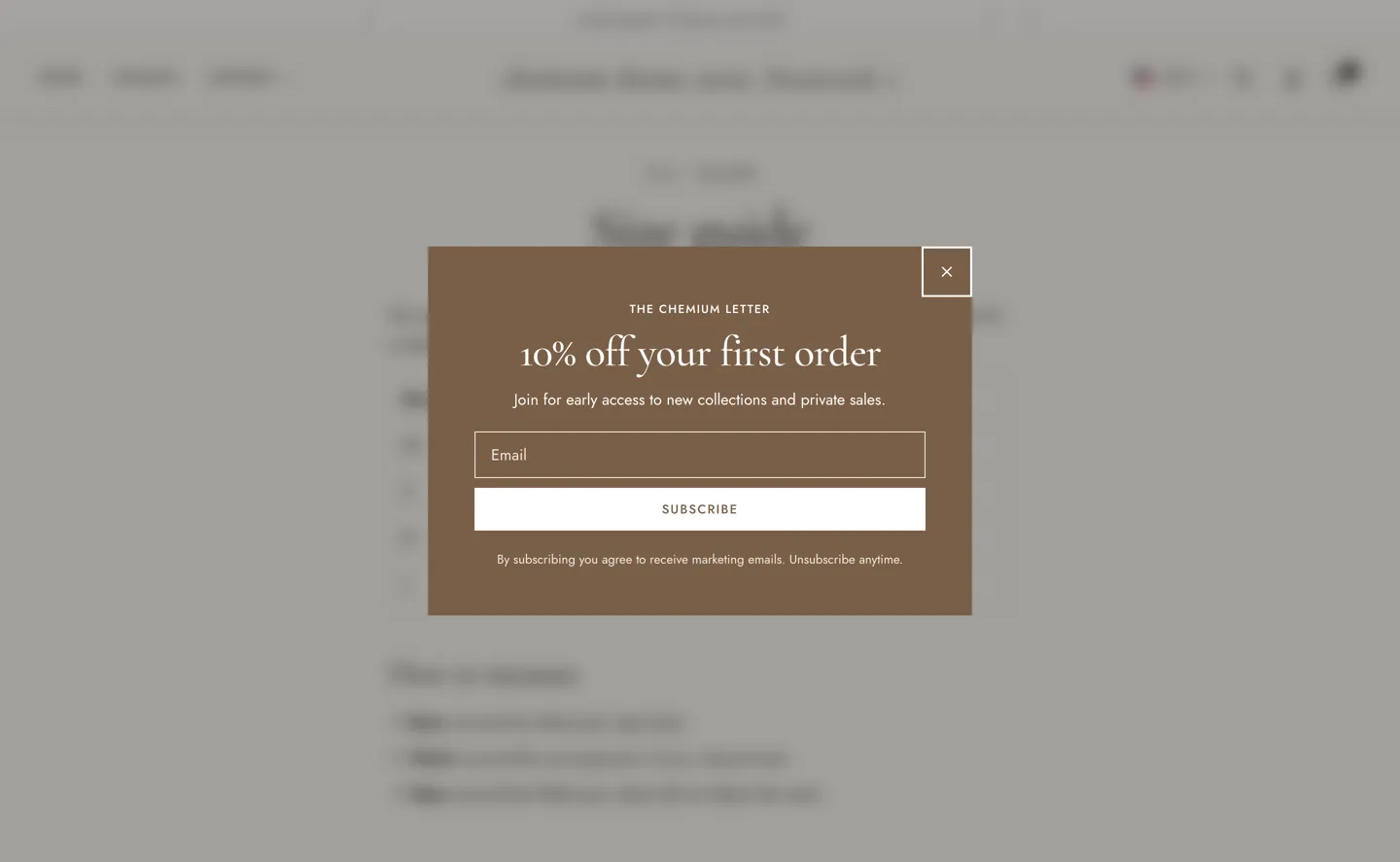
A popup that invites visitors to subscribe to your newsletter.
| Setting |
Details |
| Enable |
Default: on. |
| Layout |
Options: Modal with image (default), Modal, text only, Corner. |
| Image |
|
| Image position |
Options: Left (default), Right. |
| Color scheme |
|
| Setting |
Details |
| Eyebrow |
Default: “The Chemium letter”. |
| Heading |
Default: “10% off your first order”. |
| Text |
Default: “Join for early access to new collections and private sales.”. |
| Button label |
Default: “Subscribe”. |
| Fine print |
|
| Setting |
Details |
| Success heading |
Default: “Welcome in”. |
| Success text |
Default: “Use this code at checkout.”. |
| Discount code |
Shown after sign-up. Create the code in Discounts. |
| Setting |
Details |
| Show when |
Options: After a delay (default), After scrolling, On exit intent. |
| Delay |
With exit intent, used on touch screens. 3–60s, default 8s. |
| Scroll depth |
10–90%, default 40%. |
| Show again after |
Days before it shows again after being closed. 0 shows it once per visit. 0–30d, default 7d. |
| Pages |
Options: All pages (default), Home page, Product pages, Collection pages. |
| Hide for logged-in customers |
Default: on. |
